
What Is an IPTV Server Provider?
SUBSCRIBE NOW
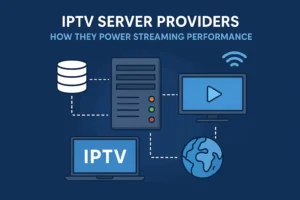
An IPTV server provider is the foundation of every IPTV service on the market. While end users interact with apps, playlists, and thousands of channels, the real engine that powers all of this is the server infrastructure behind the scenes. IPTV servers are high-performance machines designed to ingest live broadcasts, encode video streams, store VOD files, distribute content through global networks, and deliver responsive, buffer-free playback.
Without a reliable iptv hosting service, even the best IPTV application or the most advanced playlist collapses. Every stream you watch—whether it’s a sports channel, a news broadcast, or a movie—passes through a complex server system before reaching your screen.
In the IPTV industry, the “provider” you see selling subscriptions is often only the front-end brand. The real performance depends on the backend server provider they rely on. This is why two IPTV services may look identical on the surface, but one performs smoothly while the other buffers constantly—they are powered by different server infrastructures.
Understanding how these servers work gives you the ability to choose a subscription, resell IPTV, or launch a platform with full confidence.
How Servers Deliver Streams
Behind every IPTV channel is a technical workflow that transforms raw broadcast signals into a format optimized for internet streaming. The efficiency of this workflow directly impacts video quality, loading speed, and stability.
Below is a breakdown of the core stages.
1. Stream Ingestion
The first step in any IPTV system is acquiring the broadcast source. IPTV server providers gather channels from:
-
Satellite feeds
-
Fiber optic broadcast inputs
-
Digital capture cards
-
Partner networks
-
Licensed content sources
-
Restreaming agreements
Ingestion systems must be stable and free from packet loss, as any disruption at this stage produces freezing and glitching downstream.
SUBSCRIBE NOW
2. Video Encoding and Transcoding
Raw broadcast signals are extremely large and unsuitable for internet delivery. To make them streamable, the server uses powerful encoders to convert the feed into digital formats such as:
-
H.264 AVC
-
H.265 HEVC
-
MPEG-TS
-
Adaptive Bitrate Formats (ABR)
Encoding determines:
-
Final picture quality
-
Required bandwidth
-
Compatibility with IPTV apps
-
Latency and delay
-
Smoothness during fast motion (sports)
Premium IPTV server providers use GPU-accelerated encoding, which is 5–10x faster and produces cleaner video with lower CPU load.
SUBSCRIBE NOW
3. Storage, Caching & VOD Management
Once processed, the content is either distributed live or stored on the server. IPTV VOD playlists require:
-
High-speed NVMe SSD drives
-
Optimized indexing
-
Fast caching layers
-
RAID protection
This ensures instant loading and eliminates the “video taking too long to load” problem seen with weaker providers.
4. CDN & Load Balancing Distribution
After encoding, the server distributes data through a worldwide infrastructure. The best IPTV hosting services use:
-
CDN nodes (Content Delivery Networks)
-
Load balancers
-
Multiple data centers
-
Redundant servers
-
Anti-overload systems
This system ensures content is delivered from the closest and fastest server to the viewer. Without this layer, the system slows down during peak usage—especially during football matches, PPV events, or weekends.
SUBSCRIBE NOW
5. Delivery to End Devices
Finally, the stream reaches the user via:
-
M3U playlists
-
Xtream Codes API
-
MAC portals
-
Custom IPTV applications
-
Smart TV apps
-
Android boxes
-
Web players
Your device requests a video segment, and the server instantly sends it. The smoother the server infrastructure, the faster these responses occur.
Shared vs Dedicated IPTV Servers
One of the biggest performance differences in IPTV comes from the type of server powering the service. Many users and even resellers don’t know the difference—but it dramatically affects stream stability.
🔹 Shared IPTV Servers
A shared IPTV server is one used by many IPTV providers or resellers simultaneously. This is the most common setup for low-cost IPTV services.
Advantages:
-
Low cost
-
Quick setup
-
Accessible for beginners
-
Good for testing
Disadvantages:
-
Limited bandwidth
-
Higher risk of overload
-
Frequent buffering during peak hours
-
Poor sports channel performance
-
Slow VOD loading
-
No guaranteed stability
If one provider pushes too many users onto the shared server, everyone else suffers.
Shared servers are acceptable for small experimental projects but not for serious IPTV operations.
SUBSCRIBE NOW
🔹 Dedicated IPTV Servers
A dedicated IPTV server is exclusively used by a single IPTV provider. This is the gold standard for premium IPTV experiences.
Advantages:
-
Private bandwidth (1–10Gbps uplink)
-
Maximum stability
-
Zero overload
-
High-quality encoding
-
4K & sports channels run flawlessly
-
Instant VOD loading
System Specs Often Include:
-
High-core processors
-
NVMe enterprise SSD
-
GPU encoding cards
-
Professional firewalls
-
Redundant network carriers
Dedicated servers are the top choice for IPTV platforms that want long-term reliability and professional performance.
SUBSCRIBE NOW
🔹 Hybrid IPTV Infrastructure
The best IPTV hosting services use a hybrid system:
-
Dedicated servers for premium channels
-
Shared servers for low-demand channels
-
CDN nodes for global distribution
-
Backup failover servers
This architecture provides maximum stability while optimizing cost efficiency.
Choosing a Reliable Server Provider
Choosing the right IPTV server provider determines whether your streaming experience is silky smooth or full of interruptions. Here are the key factors to evaluate.
SUBSCRIBE NOW
1. Uptime and Reliability
A professional IPTV server provider must deliver:
-
99.9% uptime
-
Zero-freeze stability
-
Continuous monitoring
-
Automatic failover systems
Anything below these standards results in interruptions during peak events.
2. Bandwidth Capacity
The server’s bandwidth determines how many users it can support at once.
High-performance servers typically include:
-
5Gbps or 10Gbps uplinks
-
Multi-carrier internet redundancy
-
Anti-DDoS protection
-
Smart traffic routing
Low-bandwidth servers (1Gbps) often choke during busy sports broadcasts.
SUBSCRIBE NOW
3. Server Location
Distance affects latency. Choose a provider with servers near your target region.
Examples:
-
Middle East audiences → Netherlands, Germany
-
UK audiences → London, Amsterdam
-
North African audiences → France, Germany
-
USA audiences → North American data centers
The closer the viewer is to the server, the smoother the experience.
SUBSCRIBE NOW
4. Encoding Quality
Strong encoding eliminates pixelation, blurriness, and lag.
A reliable provider should offer:
-
H.265 for HD & 4K
-
H.264 for older devices
-
Adaptive bitrate streaming (ABR)
-
50/60fps for sports
Encoding quality is often the #1 difference between average and premium IPTV services.
SUBSCRIBE NOW
5. VOD Infrastructure
A good VOD library requires:
-
NVMe SSD
-
Fast caching
-
Large storage pools
-
Organized content management
Poor VOD servers cause slow loading and audio/video desync.
6. Technical Support
Choose providers offering:
-
24/7 uptime monitoring
-
Real-time issue resolution
-
Responsive support staff
-
Detailed status dashboards
A well-managed IPTV server prevents downtime before it happens.
7. Security and Anti-Restreaming Tools
A secured IPTV server subscription prevents:
-
Password sharing
-
Link theft
-
Unauthorized restreaming
-
Bandwidth abuse
Look for security systems such as:
-
Token protection
-
User-Agent filtering
-
Geo-locking
-
IP blacklisting
-
Device limit controls
Security = stability.
SUBSCRIBE NOW
Performance Optimization Tips
Even with high-quality IPTV servers, optimization ensures smoother streaming and higher customer satisfaction.
1. Use Multiple Server Endpoints
Distribute users across:
-
EU server
-
US server
-
Middle East server
This reduces peak-hour overload.
2. Enable Adaptive Bitrate (ABR)
ABR automatically adjusts video quality to match the user’s internet speed, significantly reducing buffering.
SUBSCRIBE NOW
3. Smart Load Balancing
A strong IPTV server provider uses:
-
Round-robin distribution
-
Health-based routing
-
Geographic balancing
This prevents single-server overload.
4. Optimize Encoding Settings
Best practice:
-
H.265 for modern devices
-
6–10Mbps bitrates for HD
-
50–60fps for sports
-
Lower bitrates for mobile apps
Optimized encoding = smoother playback.
SUBSCRIBE NOW
5. Cache Popular Channels
Storing frequently viewed channels in cache reduces:
-
Server load
-
Packet loss
-
Latency
Result: instant zapping.
6. Split Live and VOD Servers
The most stable IPTV platforms separate:
-
Live channel servers
-
VOD storage servers
-
Replay/series servers
This prevents cross-load congestion.
7. Monitor Server Health Regularly
Track:
-
Bandwidth
-
CPU usage
-
RAM consumption
-
Packet loss
-
Error logs
Early monitoring prevents major outages.
SUBSCRIBE NOW
Conclusion: Server Quality Defines IPTV Quality
While IPTV apps and channel lists matter, the real power behind every IPTV platform is the server infrastructure. A strong IPTV server provider ensures:
-
Smooth streaming
-
Fast zapping
-
Zero buffering
-
Stable VOD access
-
Long-term performance
Understanding the difference between shared, dedicated, and hybrid servers helps you select the right IPTV server subscription and build a reliable streaming experience.
In IPTV, the server is everything—and choosing the right provider is the single biggest factor in determining your streaming quality.