
How Much Does IPTV Cost? A Comprehensive Pricing Guide
We have all been there. You open your monthly cable bill and stare at the total in shock. The price seems to go up every single month, but the number of channels you actually watch stays the same. This frustration is exactly why millions of people are cutting the cord and switching to Internet Protocol Television (IPTV).
SUBSCRIBE NOW
But before you make the switch, you probably have one big question on your mind: How much does IPTV cost?
The answer is not a single number. It depends on what you want, how you want to watch it, and which type of service you choose. In this guide, we will break down every single cost associated with IPTV. We will look at monthly subscriptions, hardware costs, and even the hidden fees that no one tells you about. By the end of this article, you will know exactly what to expect for your budget.
🚀 Quick Summary
If you are in a rush, here is the short answer regarding how much IPTV costs:
- Verified Legal Services: $25 to $75+ per month (e.g., Sling, YouTube TV, Hulu).
- Third-Party Services: $10 to $20 per month.
- Hardware Costs: $30 to $150 (One-time fee for a device like Firestick or Nvidia Shield).
Understanding the Basics of IPTV Pricing
To understand the price, you first need to understand what you are paying for. IPTV delivers television content over the internet instead of through a satellite dish or fiber-optic cable. This technology drastically reduces infrastructure costs for providers.
However, the market is split into two very different categories. The price gap between these two categories is massive.
1. Verified Legal Services
These are big companies you see advertised on TV. They own the rights to broadcast content legally. Because they pay millions for licensing rights, their monthly fees are higher. However, they offer perfect stability and zero legal risk.
2. Unverified Third-Party Services
These services are often much cheaper. They usually offer thousands of channels for a fraction of the price of legal services. While the price tag is attractive, they come with risks regarding stability and legality. We will discuss the pricing for both types so you can make an informed decision.
Detailed Cost Breakdown by Service Type
Let’s dive deep into the numbers. When asking “how much does IPTV cost,” you must compare apples to apples.
The Cost of Premium Legal IPTV
These services are the direct replacement for cable TV. They are expensive compared to other IPTV options, but they are still usually cheaper than a traditional cable contract because there are no equipment rental fees.
- Sling TV: Starts around $40/month. This is often the budget-friendly choice for legal streaming.
- YouTube TV: Costs approximately $72.99/month. This includes local channels and unlimited DVR.
- Hulu + Live TV: Costs around $76.99/month. This bundle often includes Disney+ and ESPN+.
- FuboTV: Starts around $79.99/month. This is geared heavily toward sports fans.
Total Annual Cost: For a premium legal service, you are looking at roughly $500 to $960 per year.
The Cost of Third-Party IPTV Services
This is where the pricing changes dramatically. The internet is flooded with providers offering massive channel lists for the price of a coffee and a sandwich.
- Monthly Plan: Average cost is $10 – $15.
- 3-Month Plan: Average cost is $25 – $35.
- 6-Month Plan: Average cost is $45 – $60.
- 12-Month Plan: Average cost is $70 – $100.
Total Annual Cost: For these services, you are looking at roughly $80 to $120 per year.
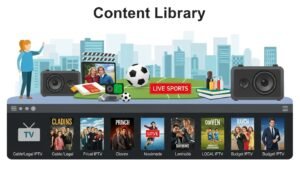
Comparison Table: Cable vs. Legal IPTV vs. Budget IPTV
Visualizing the data helps. Here is a direct comparison of the costs and features.
SUBSCRIBE NOW
| Feature | Traditional Cable | Legal IPTV (e.g., YouTube TV) | Budget IPTV Service |
|---|---|---|---|
| Monthly Cost | $120+ | $70 – $80 | $10 – $20 |
| Setup Fees | $50 – $100 | $0 | $0 |
| Contract | 1-2 Years | Month-to-Month | Month-to-Month |
| Channel Count | 150 – 300 | 80 – 100+ | 1,000 – 10,000+ |
| Video Quality | High (1080i/4K) | High (1080p/4K) | Variable (SD to 4K) |
Hardware Costs: The One-Time Investment
When calculating how much does IPTV cost, many people forget about the hardware. You cannot simply watch IPTV on an old TV without a smart device. If you already have a Smart TV (Samsung, LG, Android TV), you might not need to buy anything. But for the best experience, a dedicated streaming device is recommended.
1. Amazon Fire TV Stick
This is the most popular device for IPTV users. It is cheap, easy to modify (sideload apps), and works fast.
- Fire TV Stick Lite: ~$29.99
- Fire TV Stick 4K: ~$49.99
- Fire TV Stick 4K Max: ~$59.99
2. Android TV Boxes
If you want a more powerful experience with faster menus and better gaming capabilities, you might look at high-end Android boxes.
- Nvidia Shield TV Pro: ~$199.99 (The gold standard for streamers).
- Chromecast with Google TV: ~$49.99.
- Formuler Boxes: $100 – $160 (Designed specifically for IPTV).
3. Apple TV
For users in the Apple ecosystem, the Apple TV 4K is fantastic but expensive. It handles high-quality streams beautifully.
- Apple TV 4K: ~$129.00+
Hidden Costs You Need to Know
The subscription price and the device price are the obvious costs. However, experienced users know there are a few “hidden” costs that can creep up on you. To get a true answer to “how much does IPTV cost,” you must include these.
1. VPN Subscription
If you use third-party services, privacy is a major concern. Also, some Internet Service Providers (ISPs) throttle (slow down) your internet speed when they detect streaming traffic. A Virtual Private Network (VPN) solves this.
A good VPN creates an encrypted tunnel for your data. It stops buffering caused by ISP throttling and keeps your activity private.
- Average Monthly Cost: $10 – $13 (Month-to-month).
- Average Annual Cost: $40 – $60 (If you pay yearly).
2. Premium App Fees
While many IPTV players are free (like Smarters or VLC), the best players often require a small one-time activation fee to unlock premium features like playlist management or multi-screen watching.
- TiviMate Premium: ~$10/year or ~$30 lifetime.
- IPTV Smarters Pro: Free version is good, but premium features cost a few dollars.
- IBO Player: ~$8 activation fee.
3. Internet Upgrades
IPTV requires a stable internet connection. If you are currently on a very slow DSL plan, you might need to upgrade to Fiber or high-speed Cable internet to watch 4K content without buffering.
- Minimum for HD: 25 Mbps.
- Minimum for 4K: 50-100 Mbps.
Factors That Influence the Price
Why does one service cost $5 and another cost $20? Several factors dictate the price tag.
Number of Connections
Most basic subscriptions come with one connection. This means you can only watch on one TV at a time. If you want to watch sports in the living room while your kids watch cartoons in the bedroom, you need more connections.
Providers usually charge extra for this. Adding a second or third connection might add $3 to $5 per month to your bill.
Resolution Quality
Servers that host 4K and FHD (Full HD) content require more bandwidth and storage. Some premium providers charge a higher tier for access to their 4K movie libraries or high-bitrate sports channels.
Catch-Up and VOD Library
Catch-Up is a feature that lets you go back in time to watch shows you missed over the last few days. VOD (Video On Demand) is the library of movies and series. Services with massive, constantly updated libraries often charge a premium because managing those files costs money.
Customer Support
This is a big one. Cheap services usually have zero support. If the channel goes down during the Super Bowl, you are on your own. Premium services often invest in a support team, a Telegram group, or a Discord channel to help users. This staffing cost is reflected in the subscription price.
Is Free IPTV an Option?
You might be wondering, “Why pay anything at all?” There are free IPTV apps available.
Ad-Supported Free TV
Services like Pluto TV, Tubi, and XUMO are 100% free and legal. They make money by showing you commercials.
- Cost: $0.
- Downside: You cannot watch live premium sports or the latest HBO series. The content is usually older movies and news channels.
“Free” Illegal Streams
There are websites and apps that rebroadcast premium signals for free. We do not recommend these.
- Cost: $0.
- Downside: Extremely unreliable. They buffer constantly, are full of viruses/pop-up ads, and often shut down mid-game.
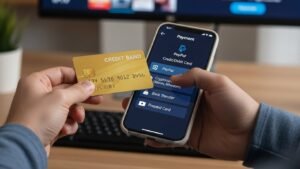
How to Pay for IPTV: Payment Methods Matter
When discussing costs, we must also discuss how you pay. This varies depending on the service route you take.
SUBSCRIBE NOW
Legal Services
You pay these just like any other bill. They accept Visa, Mastercard, PayPal, and sometimes even carrier billing through your phone provider. It is safe, secure, and easy to track.
Third-Party Services
This is where it gets tricky. Many budget IPTV providers cannot get traditional credit card processing accounts. Therefore, they often ask for alternative payment methods.
- Cryptocurrency (Bitcoin/USDT): This is becoming the standard. It offers anonymity for both the seller and the buyer.
- Credit Card (via third-party gateways): Some use intermediate payment processors.
- Money Transfer Services: Services like Wise or Western Union are sometimes used, though less common now.
Note: Paying with Crypto is usually final. If the service shuts down the next day, you cannot call your bank to get a refund. This is a financial risk you must consider.
Tips to Save Money on IPTV
If you want to keep your costs as low as possible while still getting a good experience, follow these tips.
1. Never Buy 12 Months Immediately
This is the golden rule. Even if the annual price looks amazing, do not do it for a new service. IPTV services can shut down or degrade in quality. Start with a 1-month plan. If it works well, upgrade to a 3-month plan. Only commit to a year if you trust the provider completely.
2. Look for Free Trials
Many providers offer a 24-hour trial for free or for a tiny fee (like $2). Always test the service during a live event (like a football match) to see if it buffers under high load.
3. Share the Connection Cost
Some providers offer plans with 4 or 5 connections. If you split this cost with a friend or neighbor, your individual monthly cost drops significantly. Just make sure the provider allows IP usage from different locations (some lock the service to one IP address).
4. Buy Your Box Second-Hand
You can often find Nvidia Shields or Firesticks on marketplaces like eBay or Facebook Marketplace. Since these devices are durable, buying used can save you 30-40% on hardware costs.
SUBSCRIBE NOW
FAQ: Common Questions About IPTV Pricing
Is IPTV cheaper than cable?
Yes, almost always. Even the most expensive legal IPTV services (like YouTube TV at $73/month) are cheaper than the average cable bill, which often exceeds $120/month once you add in equipment rental fees and broadcast surcharges.
Why do some IPTV services cost more than others?
Higher costs usually indicate better server stability, higher quality streams (true 4K), better customer support, and a larger Video On Demand (VOD) library. Extremely cheap services often oversell their servers, leading to buffering.
Do I need to pay for a VPN?
If you are using a verified legal service like Hulu or Sling, you do not need a VPN, though it helps with privacy. If you are using unverified third-party services, a VPN is highly recommended to prevent ISP throttling and protect your identity.
Are there hidden fees?
With legal services, tax is the main addition. With third-party services, transaction fees (like Bitcoin network fees) can add a few dollars to the total. Also, currency conversion fees may apply if the provider is in a different country.
Final Verdict
So, how much does IPTV cost?
If you want a fully legal, stable replacement for cable without the hassle, expect to pay around $75 per month. It is safe, reliable, and still cheaper than traditional cable.
If you are a tech-savvy user looking to save the maximum amount of money, you can build a setup for as little as $15 per month (including the service and a VPN cost). However, this route requires a bit of learning, some patience with occasional buffering, and an understanding of the risks involved.
Ultimately, IPTV offers a flexibility that cable TV never could. You have the power to choose a price point that fits your wallet. Start with a low-cost trial, get a decent streaming device, and enjoy the freedom of streaming.